The Ultimate Website Launch Checklist for Small Businesses
A complete website launch checklist for small business owners. Learn what to check before going live — contact forms, mobile responsiveness, SSL, speed, backups, and more.
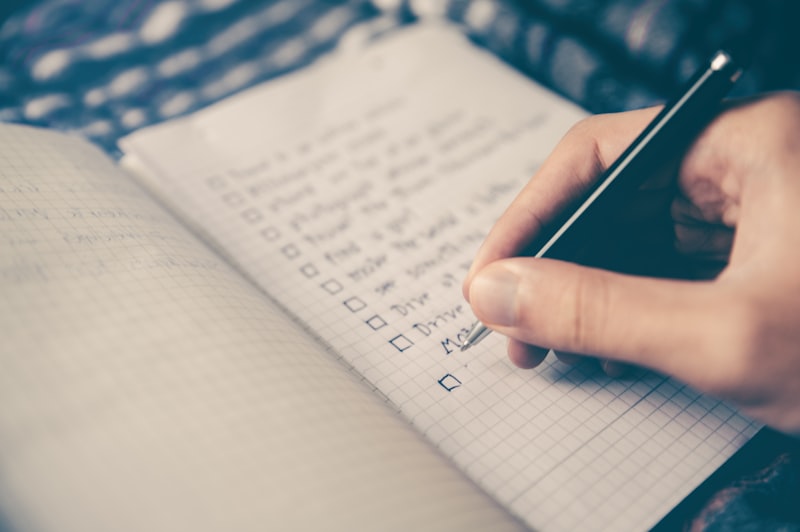
You have spent weeks — maybe months — building your website. You have chosen colours that match your brand. You have written pages of content about your services. You have picked photos that show your work at its best. The big moment is almost here. But before you share that URL with the world, there are things you need to check.
Launching a website without a proper checklist is like opening a new shop without checking if the lights work, the doorbell rings, and the sign out front is readable. Small problems that you overlook today become big problems when customers start arriving.
This guide walks through everything you need to verify before making your website public. Each item on this checklist addresses something that could go wrong — and something that is easy to fix now but harder to fix after launch.
What You Will Find in This Checklist
- Things to check before making your website public
- How to test contact forms so you never miss a lead
- Why mobile responsiveness can make or break your launch
- Page speed basics that affect first impressions
- SSL certificate verification for security and trust
- How to check for broken links before visitors find them
- Google Maps, contact info, and business hours accuracy
- Why backups matter even before you launch
- How reliable hosting sets the foundation for success
- A printable launch readiness checklist

Why a Pre-Launch Checklist Matters
Here is something most first-time website owners do not realise. The moment you share your website link — on social media, in an email, or through Google — visitors start forming opinions instantly. They do not give you a second chance to make a first impression.
If a visitor lands on your site and the contact form does not work, they assume you are not responsive. If the page loads slowly, they assume you do not care about quality. If the site looks broken on their phone, they assume your business is outdated.
A pre-launch checklist helps you catch these issues before anyone else sees them. It is not about perfection. It is about making sure the basics are solid so your website represents your business the way it deserves.
Item 1: Confirm Your Domain Is Connected Correctly
Your domain name is how customers find you online. Before you launch, make sure your domain is properly connected to your hosting. Type your domain into a browser and confirm it loads your website — not a placeholder page, not an error, not your old site if you are migrating.
If you registered your domain separately from your hosting, you need to update the DNS settings to point to your hosting provider. This is usually straightforward. Host Better provides clear instructions for connecting your domain.
Item 2: Verify SSL Is Active and Working
SSL stands for Secure Sockets Layer. It is a technology that encrypts the connection between your website and your visitors so data cannot be intercepted. When SSL is active, your website address starts with https:// instead of http:// and a small padlock icon appears in the browser bar.
Without SSL, modern browsers display a “Not Secure” warning when someone visits your site. That warning stops visitors in their tracks. They wonder if your site is safe and may leave immediately.
Check that your SSL certificate is active by visiting your website and looking for the padlock. Also check that all pages on your site automatically redirect from HTTP to HTTPS. Host Better includes free SSL with every plan, automatically installed and renewed.
Item 3: Test Every Form on Your Website
A contact form that does not work is worse than not having a contact form at all. Visitors fill in their name, email, and message, click submit, and nothing happens. They assume you ignored them. You never even knew they tried to reach you.
Before launch, submit every form on your website. Check that you receive the submission at the correct email address. Check that the confirmation message visitors see is clear and helpful. Do this on both desktop and mobile.
If you have multiple forms — a contact form, a quote request form, a booking form — test each one separately. This takes five minutes and can save you from losing weeks of enquiries.
Item 4: Check Mobile Responsiveness Thoroughly
Well over half of all website visitors come from phones and tablets. If your website looks good on a laptop screen but falls apart on a phone, you are alienating the majority of your audience before you even get started.
Mobile responsiveness means your website automatically adjusts its layout to fit whatever screen it is viewed on. Text should be readable without pinching and zooming. Buttons should be large enough to tap with a finger. Navigation menus should work smoothly on a small screen.
Open your website on an actual phone. Navigate through every page. Try to fill out forms. Check that images resize properly. If anything looks off, fix it before launch.

Item 5: Test Your Page Loading Speed
Speed matters more than most people realise. Studies show that more than half of visitors leave a website that takes longer than three seconds to load. Your website’s speed on day one sets the tone for everything that follows.
Use a free speed testing tool to check your loading time. If it is over three seconds, look at what is slowing things down. Large images are usually the main culprit. Compress them before uploading. Reduce the number of elements on each page. Choose a hosting provider that prioritises performance.
| Loading Speed | Visitor Experience | What It Means for Your Business |
|---|---|---|
| Under 2 seconds | Excellent | Visitors stay engaged, high conversions |
| 2–3 seconds | Good | Most visitors stay, minimal losses |
| 3–5 seconds | Poor | Many visitors leave before seeing content |
| Over 5 seconds | Very poor | Majority abandon, severe loss of opportunities |
Item 6: Check for Broken Links
A broken link is a link on your website that leads nowhere — a page that does not exist, an image that will not load, or a button that does nothing. Broken links make your site look neglected and frustrate visitors.
Before launch, click every link on your website. Check navigation menus, buttons, images that link somewhere, and external links to social media or other sites. There are free tools that can crawl your site and automatically find broken links — run one of these before you go live.
Item 7: Verify Your Contact Information
If you list a phone number, email address, or physical address on your website, make sure it is correct. This sounds obvious, but it is surprisingly easy to have a typo in your phone number or an outdated address.
If you embed a Google Map showing your location, test it. Click on it. Make sure it opens the correct location, not a similar-sounding business in a different city. Verify that your business hours are accurate. Nothing frustrates a customer more than arriving at a business that is closed because the website said something different.
Item 8: Review Your Content for Errors
Typos and grammar mistakes make your business look careless. Read every page of your website out loud. This helps you catch awkward phrasing and errors you would miss when reading silently.
Ask someone else to read through your site too. A fresh pair of eyes catches things you have read so many times that you no longer see them. Check that your business name is spelled correctly everywhere, that your services are described accurately, and that your pricing is consistent.

Item 9: Create a Backup Before Going Live
A backup is a copy of your complete website stored somewhere safe. You should create one before you launch because making changes during the launch process sometimes causes unexpected issues. If something goes wrong, you can restore from your backup and start fresh.
Think of it like taking a photo of a room before you start rearranging the furniture. If the new arrangement does not work, you have a reference to put everything back. Host Better includes backup features to make this easy.
Item 10: Set Up Analytics Before Launch
Analytics tools like Google Analytics show you how many people visit your website, where they come from, which pages they view, and how long they stay. Set this up before you launch so you capture data from the very first visitor.
Without analytics, you are flying blind. You will not know which marketing efforts are working, which pages interest visitors most, or where people are dropping off. A few minutes of setup before launch gives you valuable insights from day one.
Item 11: Submit Your Site to Google
Google does not automatically know your website exists. You need to tell it. The fastest way is through Google Search Console, a free tool that lets you submit your website for indexing.
Once submitted, Google’s crawlers visit your pages and add them to the search index. This is how people find you when they search for your business or services on Google. Submit your site on launch day so the indexing process starts immediately.
Item 12: Set Up a Professional Business Email
A professional email address using your domain name — like hello@yourbusiness.com — makes your business look established and credible. Free email addresses like yourbusiness@gmail.com do not inspire the same level of trust.
Host Better includes email hosting with its plans starting at ₹179 per month, so you can create professional email addresses and manage everything from the same dashboard as your website.
Item 13: Test Your Checkout or Booking Process
If your website accepts payments or takes bookings, test the entire process from start to finish. Go through it as if you were a customer. Make a test payment. Confirm that email notifications are sent correctly. A broken checkout process means lost revenue you may never know about.
Item 14: Ensure Essential Pages Are Present
Before launching, make sure your website includes the pages that customers expect to find.
- Home page that clearly explains what you offer
- About page that tells your story
- Services or products page with clear descriptions
- Contact page with phone, email, location, and a form
- FAQ page that answers common questions
- Privacy policy and terms of service if you collect visitor data
Item 15: Do a Final Walkthrough
Once you have checked every item on this list, do one final walkthrough. Open your website in a browser as if you were a customer visiting for the first time. Click through every page. Read the content. Submit a form. Check the speed. Verify the mobile experience. If everything passes, you are ready to launch.
Why Reliable Hosting Matters Before Launch
All the preparation in the world does not matter if your hosting is unreliable. Your hosting provider determines how fast your site loads, whether it stays online, and how secure it is. Choosing the right one before you launch saves you from having to switch later.
Host Better is built for small businesses launching their first website. The Starter plan at ₹179 per month includes free SSL, fast performance, reliable uptime, easy deployment, and support when you need it. You can launch with confidence knowing your website is on solid infrastructure.
Common Launch Day Mistakes
- Launching without SSL and seeing a Not Secure warning
- Forgetting to set up analytics and missing early data
- Not testing on mobile devices
- Broken contact forms that silently lose enquiries
- Slow loading speed that drives visitors away
- Typos and spelling errors that look unprofessional
- No backup if something goes wrong during launch
Printable Website Launch Checklist
Use this checklist before you make your website public.
- Domain connected and loading correctly
- SSL certificate active — padlock shows in browser
- All contact forms tested and working
- Mobile responsiveness checked on an actual phone
- Page speed tested and under 3 seconds
- All links checked — no broken links
- Contact information accurate (phone, email, address, map)
- Business hours listed correctly
- Content proofread — no typos or errors
- Full backup created and stored safely
- Google Analytics set up
- Site submitted to Google Search Console
- Professional business email set up
- Checkout or booking process tested
- Final walkthrough completed
Frequently Asked Questions
How long before launch should I start using this checklist?
Start at least a few days before your planned launch date. Some items like setting up analytics and submitting to Google take minimal time. Others like fixing mobile issues or speeding up your site may take longer if problems are found.
What is the most common mistake people make when launching?
Not testing on mobile. Most website owners check their site on a laptop and assume it looks fine everywhere. With the majority of traffic coming from phones, a poor mobile experience loses you customers before you even get started.
Do I really need SSL from day one?
Yes. Browsers display a Not Secure warning on HTTP sites, which damages trust immediately. Host Better includes free SSL on every plan so your site is secure from the moment it goes live.
Should I launch even if my site is not perfect?
Yes, as long as the basics work — forms, speed, mobile, SSL, and accurate information. You can improve your site over time based on feedback and analytics. Perfectionism delays progress.
How do I know if my hosting is good enough for launch?
A good hosting provider gives you fast loading times, reliable uptime, free SSL, and responsive support. Host Better at ₹179 per month covers all of these and is designed specifically for small businesses launching their first site.
Summary
Launching a website is one of the most exciting steps for any small business. Taking the time to go through a proper pre-launch checklist ensures that your first impression is a strong one and that you catch potential problems before visitors do.
From testing forms and checking speed to setting up SSL and creating backups, each item on this list addresses something that could affect your launch. Combine this preparation with reliable hosting like Host Better at ₹179 per month, and you are set up for a smooth, successful launch.
Ready to launch your website?
Deploy your website in minutes with Host Better. Free SSL, custom domains, and instant deployment included.
Start Hosting Now

